
Your smartphone isn’t just a phone anymore. It’s where you do your banking, shop online, keep in touch with family, and store years’ worth of photos and personal information — in a lot of ways, a small digital vault.
But the longer you own one, two frustrations tend to creep in. First: “Why does my phone feel so much slower than when I bought it?” Second: a nagging worry about phone scams and text scams that increasingly target older adults.
The good news is that a handful of small changes can make your phone noticeably faster and much harder for scammers to get into. Here’s a simple guide you can follow in a few minutes.
📉 Why Does Your Phone Slow Down Over Time?
It’s easy to assume slowdowns just come with age, but a few specific things are usually to blame:
- Storage space running low
- Apps running in the background
- Old cache files piling up
- Too many unused apps installed
- An outdated operating system
The good news: almost all of these are fixable in a few minutes, no tech expertise required.
⚡ 3 Quick Fixes to Speed Up Your Phone
1. Delete Apps You Never Use
Chances are, a few apps on your phone were installed once and never opened again. They don’t just take up storage — many keep running quietly in the background. If you haven’t opened an app in six months, it’s probably safe to delete.
2. Clear Out Cache Data
Every app builds up temporary “cache” files over time, which can eventually add up to several gigabytes and slow things down.
On Android: Settings → Apps → Storage → Clear Cache
On iPhone: clear cache within the app, or delete and reinstall it
Clearing cache never deletes your photos or personal data — only temporary files.
3. Restart Your Phone Once a Week
This sounds almost too simple, but it works. Restarting clears background processes and frees up memory. A weekly restart is often enough to noticeably improve performance.
🔐 Security Settings You Really Shouldn’t Skip
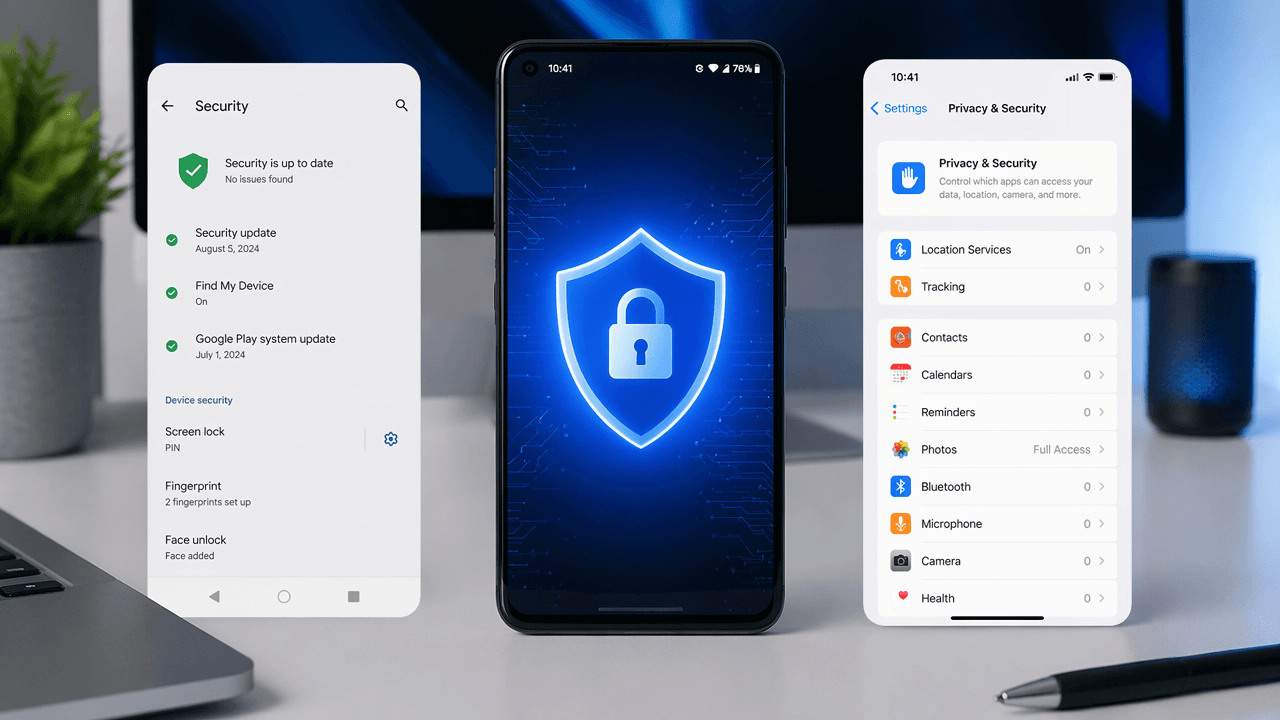
Your phone holds your banking apps, passwords, and personal details all in one place — which is exactly why a few basics matter.
Set Up a Screen Lock
Using your phone without a passcode is a bit like leaving your front door unlocked. Turn on Face ID, fingerprint unlock, or at minimum a 6-digit passcode — avoid anything easy to guess, like your birthday.
Keep Your Software Up to Date
Updates aren’t just new features — they patch security vulnerabilities scammers actively look for. Install them sooner rather than later.
Only Download Apps From Official App Stores
Installing an app from a random text or email link is one of the riskiest things you can do. Stick to the Google Play Store or Apple App Store, which both scan apps for malware automatically (Google Play Protect and Apple’s App Review). Be especially wary of links claiming to be about a package delivery, unpaid toll, bank alert, or government benefit — some of the most common scam formats today.
Double-Check App Permissions
Does your flashlight app really need your contacts? Your calculator, your location? Take a few minutes to review app permissions in Settings and turn off anything that doesn’t make sense.
🚨 Blocking Phone Scams and Text Scams
Phone scams and SMS scams (“smishing”) often disguise themselves as routine notifications — a delivery update, a bank alert, a toll bill — but clicking the link can expose your data or install malware.
Don’t answer unknown numbers right away. If it’s important, they’ll leave a message. Be especially cautious with callers claiming to be from the IRS, Social Security Administration, your bank, or a delivery service — all frequently impersonated by scammers.
Think twice before tapping links in texts about:
- A failed or delayed package delivery
- An unusual card charge or “locked account”
- An unpaid toll or parking violation
- A tax refund or government benefit
- A request to “verify your account”
Real government agencies and banks never handle urgent matters through a text link alone. If something feels off, go directly to the official website or app.
Turn on your carrier’s spam protection. Most phones filter spam by default, and your carrier likely offers a free add-on worth enabling — AT&T Call Protect, Verizon Call Filter, or T-Mobile Scam Shield in the U.S.; EE, O2, or Vodafone protection in the U.K.; Bell, Rogers, or Telus filtering in Canada. Apps like Truecaller are another option, and most take just a minute to set up.
📷 Free Up Storage Without Deleting Your Photos
Back up to the cloud. This frees up phone storage while keeping everything accessible — Google Photos for Android, iCloud for iPhone.
Clean out your Downloads folder. Old PDFs, installers, and images pile up quietly and often free up more space than you’d expect.
Manage storage in messaging apps. Apps like WhatsApp, iMessage, or Facebook Messenger accumulate photos and videos over the years — clear out what you don’t need, but double-check backups first.
📶 Staying Safe on Public Wi-Fi
Free Wi-Fi at a coffee shop or airport is convenient, but your data is more exposed on a public network. A few habits help:
- Use mobile data instead of public Wi-Fi for online banking
- Avoid entering sensitive information on public networks
- Turn off auto-connect for unrecognized networks
- Keep your software and security settings up to date
✨ What People With Fast, Secure Phones Have in Common
- Restart their phone weekly
- Delete apps they no longer use
- Keep their operating system updated
- Check storage periodically
- Avoid clicking suspicious links
- Back up important data regularly
None of these take much time — they just need to become routine.
✅ Your Quick Security Checklist
- [ ] Screen lock is turned on
- [ ] Operating system is up to date
- [ ] Unused apps have been deleted
- [ ] Storage isn’t over 80% full
- [ ] You avoid clicking unknown text links
- [ ] Important photos are backed up
- [ ] Carrier spam protection is turned on
- [ ] Phone gets restarted weekly
The more boxes you check, the safer and faster your phone will be.
❓ Frequently Asked Questions
Does restarting your phone actually make it faster?
Yes. It clears background processes and frees up memory, which can noticeably improve performance.
Does clearing cache delete my photos?
No. It only removes temporary files — your photos and personal data stay exactly where they are.
How much storage should I keep free?
For smooth performance, aim to keep roughly 20% of your total storage free.
Should I block every unknown number?
Not necessarily — check the number first, then block it if it turns out to be spam or a repeat offender.
Can an older phone still perform well?
Yes. Regular storage management, software updates, weekly restarts, and clearing unused apps can keep even an older phone running smoothly for years.
📌 Final Thoughts
Your phone holds your financial information, personal details, and years of memories — arguably the most important device you own. With a little attention, you can make it noticeably faster and more secure without buying a new one.
None of these steps require technical expertise — they’re simple habits anyone can put into practice in a few minutes. Take a moment today to check your settings. One small step can go a long way toward protecting your information, avoiding scams, and keeping your phone running smoothly for years to come.